
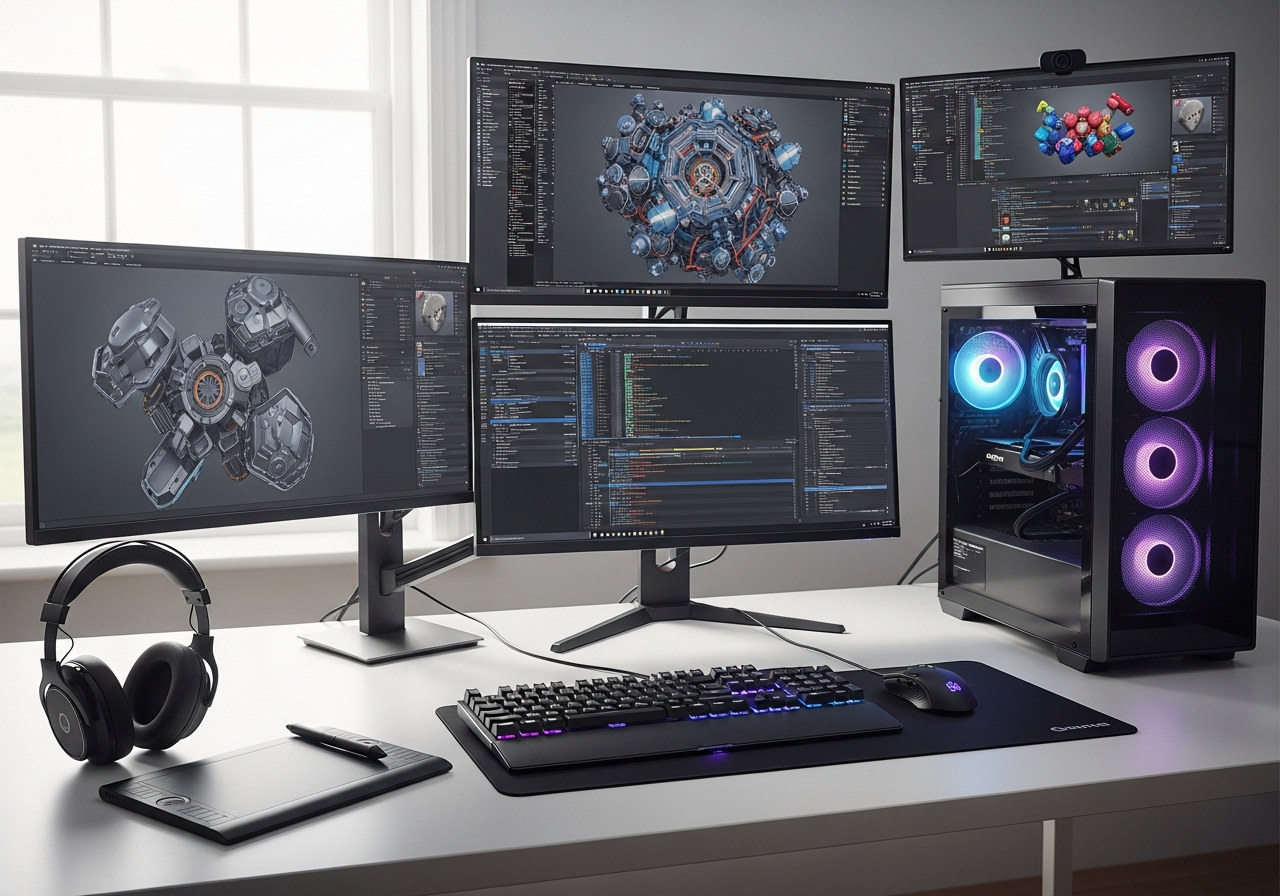
Canadian game design students face increasingly challenging hardware costs as 2026 pricing trends continue to impact the market. The rising costs of essential components, particularly memory and graphics cards, have pushed typical gaming PC builds well beyond traditional budgets. For students pursuing degrees in game development, these aren’t just gaming machines – they’re professional workstations that must handle intensive rendering, simulation, and development workflows in Unity, Unreal Engine, and Blender.
Understanding the true cost of game development hardware requires factoring in Canadian-specific pricing, including HST taxes that can add 13-15% to component costs, plus shipping fees from major retailers. Most students should budget between $1,500-$4,500 CAD for complete setups that can handle modern game development workflows, with careful consideration given to portability needs for campus work and the availability of student discounts through educational channels.
Why Game Design Students Need Specialized Hardware
Game design students require significantly more powerful hardware than casual gamers due to the demanding nature of 3D rendering, real-time simulation, and complex asset compilation. While a gaming PC focuses on playing finished games, development workstations must simultaneously run multiple resource-intensive applications, compile large projects, and render high-quality assets for portfolio work. The difference becomes apparent when students attempt complex Blender animations or large Unity projects on underpowered systems.
Canadian students face additional challenges with hardware pricing that includes HST adjustments and limited availability of certain components. However, many educational institutions offer hardware discounts through partnerships with major retailers, and student pricing can reduce costs by 10-15% on select components. The investment in proper hardware directly impacts productivity and learning outcomes, making it essential to understand minimum requirements versus optimal configurations.
The specialized nature of game development workflows means that typical consumer laptop specifications often fall short of professional needs. Students working on group projects, VR development, or advanced shader programming require workstation-class performance that can handle sustained computational loads without thermal throttling or system instability.
Software Demands: Unity, Unreal, Blender Requirements
Modern game development software places specific demands on system hardware that directly impact student productivity and project complexity. Understanding these requirements helps students make informed decisions about component priorities and budget allocation.
- Unity 2022 LTS requires minimum 8GB RAM but recommends 16GB+ for complex 3D projects, with RTX graphics cards providing significant advantages for real-time ray tracing and lighting workflows
- Unreal Engine 5 demands high-performance CPUs for Nanite virtualized geometry compilation and Lumen lighting calculations, with 32GB RAM becoming standard for large open-world projects
- Blender 4.0+ benefits enormously from NVIDIA CUDA cores for Cycles rendering, with OptiX acceleration reducing render times by 60-80% compared to CPU-only workflows
- Version control systems like Perforce require fast NVMe storage to handle large binary assets and frequent project syncing without workflow interruption
- Simultaneous operation of multiple development tools (IDE, 3D software, game engine, image editors) requires robust multitasking capabilities and ample system memory
2026 Price Surge Impact on Students
The Canadian hardware market has experienced significant price increases throughout 2025-2026, particularly affecting memory and storage components that are crucial for game development workflows. DDR5 memory prices have risen approximately 25-30% compared to early 2025, with high-capacity kits (32GB+) seeing the steepest increases due to supply chain constraints and increased demand from AI applications.
Graphics card pricing has also shifted, with NVIDIA’s dominance in professional rendering workflows allowing for premium pricing on RTX 40-series cards. Canadian students now face an additional challenge as the CAD-USD exchange rate has made imported components more expensive, with some high-end GPUs costing 15-20% more than equivalent US pricing even before taxes and shipping.
Core Components Cost Breakdown (CAD Prices)
Understanding the cost structure of essential components helps students prioritize their spending and identify areas where compromises can be made without significantly impacting development capabilities. All prices include average HST calculations based on provincial tax rates across Canada.
| Component | Entry-Level CAD | Mid-Range CAD | High-End CAD | Why for Game Design |
|---|---|---|---|---|
| CPU | $180-250 | $350-450 | $650-900 | Compilation, physics simulation |
| GPU | $450-600 | $800-1100 | $1400-2000 | Rendering, real-time graphics |
| RAM (16-32GB) | $120-180 | $250-350 | $400-600 | Large asset handling |
| Storage (NVMe) | $90-140 | $180-280 | $350-500 | Asset streaming, project loading |
| Motherboard | $120-160 | $180-250 | $300-450 | Expansion, connectivity |
| PSU + Case | $150-200 | $220-300 | $350-500 | Stable power, cooling |
GPU and CPU Priorities for Rendering
The graphics card represents the most critical component for game development students, as it directly impacts rendering performance in Blender, real-time preview quality in game engines, and the ability to work with advanced features like ray tracing and DLSS. NVIDIA’s RTX series provides substantial advantages through CUDA acceleration for professional applications, with the RTX 4060 representing the minimum recommended tier for serious development work. While more expensive initially, the productivity gains from faster rendering and compilation times justify the investment for students working on portfolio-quality projects.
CPU selection requires balancing single-threaded performance for game engine responsiveness with multi-core capabilities for rendering and compilation tasks. AMD’s Ryzen 5 7600X offers excellent value for students, providing strong single-core performance for Unity workflows while maintaining competitive multi-threading for Blender animations. Intel’s 13th-gen processors excel in specific scenarios but typically cost more in the Canadian market due to supply constraints.
For budget-conscious students, AMD’s RX 7600 XT provides reasonable performance for learning purposes, though it lacks the CUDA ecosystem benefits that become important for advanced coursework. The key consideration is whether students plan to focus on 2D indie development (where mid-range hardware suffices) or pursue 3D/VR projects requiring high-end specifications for acceptable workflow speeds.
Entry-Level Builds for Beginner Students ($1500–2500 CAD)
Entry-level configurations target students beginning their game development journey, focusing on Unity 2D projects and basic 3D work without demanding real-time ray tracing or complex simulations. These builds prioritize essential functionality over premium features, ensuring students can complete coursework while maintaining upgrade paths for future needs.
| Part | Model | CAD Price (HST incl) | Performance Notes |
|---|---|---|---|
| CPU | AMD Ryzen 5 5600 | $195 | Solid Unity performance, good value |
| GPU | RTX 4060 | $485 | Entry CUDA support, 1080p focus |
| RAM | 16GB DDR4-3200 | $125 | Sufficient for basic projects |
| Storage | 1TB NVMe SSD | $95 | Fast project loading |
| Motherboard | B450M Pro-VDH Max | $135 | Reliable, upgrade-friendly |
| PSU | 650W 80+ Bronze | $115 | Adequate headroom for upgrades |
| Case | Fractal Core 1000 | $85 | Compact, good airflow |
| Windows 11 | Education License | $25 | Student discount pricing |
Total Cost and Where to Buy in Canada
The complete entry-level build totals approximately $1,260 CAD including HST, leaving budget room for a basic monitor and peripherals to reach the $1,500-2,500 target range. Canadian students have several reliable options for sourcing components with competitive pricing and student-friendly policies.
- Canada Computers offers frequent student promotions and price-matching policies, with locations across major cities for local pickup and warranty support
- Memory Express provides excellent customer service and competitive pricing, particularly strong in western Canada with expert build services available
- Best Buy Canada stocks pre-built systems and popular components, often with extended warranty options and financing for students
- Newegg Canada delivers nationwide with regular sales events, though warranty support may require shipping for service
- Local computer stores often provide personalized service and competitive pricing, particularly valuable for first-time builders needing guidance
Pros and Limitations
Entry-level builds represent a careful balance between affordability and capability, with specific tradeoffs that students should understand before committing to this tier. The limitations become apparent in advanced coursework but rarely impact learning fundamentals.
- Pros: Affordable entry point, upgradeable platform, handles Unity 2D/3D and basic Blender work, CUDA support for learning professional workflows
- Pros: Low power consumption reduces electricity costs in dorms, compact size suitable for small living spaces
- Limitations: Struggles with complex Unreal Engine 5 projects, limited multitasking with multiple development tools open simultaneously
- Limitations: 16GB RAM becomes restrictive for large 3D scenes, rendering times significantly slower than mid-range builds
- Limitations: 1080p focus limits portfolio work quality, may require settings compromises for smooth real-time editing
Mid-Range Setups for Serious Projects ($2500–4000 CAD)
Mid-range configurations target students pursuing advanced coursework in 3D development, VR projects, or those planning professional portfolios requiring high-quality renders and complex simulations. These builds provide the performance headroom necessary for Unreal Engine 5 development and professional Blender workflows without the premium costs of enthusiast hardware.
| Part | Recommended Model | CAD Price | Upgrade from Entry |
|---|---|---|---|
| CPU | Ryzen 7 7700X | $385 | +40% multi-core performance |
| GPU | RTX 4070 | $825 | +35% render performance, 12GB VRAM |
| RAM | 32GB DDR5-5600 | $285 | Double capacity, faster speeds |
| Storage | 2TB NVMe Gen4 | $195 | Double space, faster asset streaming |
| Motherboard | B650 Chipset | $215 | DDR5 support, better I/O |
| PSU | 750W 80+ Gold | $165 | Higher efficiency, modular cables |
| Cooling | AIO 240mm Cooler | $145 | Better sustained performance |
Performance Benchmarks for Game Dev Tasks
The mid-range configuration delivers substantially improved performance across all game development workflows, with particularly notable gains in time-sensitive tasks like rendering and compilation. Blender Cycles rendering sees approximately 60% faster completion times compared to entry-level builds, reducing a typical animation render from 2 hours to 45 minutes. This improvement directly impacts student productivity, allowing for more iteration and higher-quality portfolio pieces within project deadlines.
Unreal Engine 5 compilation and lighting builds benefit significantly from the additional CPU cores and faster memory subsystem, with complex scene lighting calculations completing 40-50% faster than entry-level specifications. The increased VRAM capacity allows for higher-resolution texture work and more complex shader development without memory-related performance bottlenecks that plague 8GB graphics cards.
Real-world workflow improvements become apparent during intensive development sessions, where the additional system memory allows simultaneous operation of Unity/Unreal, Blender, Photoshop, and version control software without performance degradation. Students report significantly reduced frustration with system responsiveness and the ability to tackle more ambitious project scopes that would be impractical on entry-level hardware.
Laptop vs Desktop: Portability for Canadian Campuses
The choice between desktop and laptop configurations significantly impacts both performance and budget, with Canadian students facing particular challenges due to climate considerations and campus infrastructure. Desktop systems provide superior price-to-performance ratios and upgrade flexibility, while laptops offer essential portability for collaborative work and campus presentations.
| Aspect | Desktop | Laptop (CAD Premium) |
|---|---|---|
| Performance per Dollar | Excellent value, full-power components | 30-40% performance penalty for portability |
| Upgrade Flexibility | Complete component upgradeability | Limited to RAM/storage upgrades |
| Campus Usability | Dorm/apartment use only | Full campus mobility, presentations |
| Canadian Winter Transport | No weather concerns | Condensation risks, careful transport needed |
| Total Cost Range | $1500-4000 CAD | $2200-5500 CAD (+$700-1500 premium) |
Top Student Laptops Under $3000 CAD
Canadian students seeking laptop solutions for game development face limited options in the sub-$3000 category, with most suitable systems requiring careful balance between performance and thermal management. The following models represent the best available options from major Canadian retailers, focusing on RTX 4060 or better graphics with adequate cooling solutions.
- ASUS TUF Gaming F15 (RTX 4060, i5-13500H, 16GB RAM) – $2,795 CAD at Best Buy Canada, excellent build quality and cooling
- MSI Katana 15 (RTX 4060, i7-13620H, 16GB RAM) – $2,650 CAD from Memory Express, good performance but louder fans
- Acer Nitro 5 (RTX 4050, Ryzen 7 7735HS, 16GB RAM) – $2,285 CAD at Canada Computers, budget-friendly with decent specs
- Lenovo Legion 5 Pro (RTX 4060, Ryzen 7 7745HX, 16GB RAM) – $2,895 CAD from Lenovo Canada direct, superior display quality
- HP Victus 16 (RTX 4050, i5-13500H, 16GB RAM) – $2,195 CAD at Costco Canada, membership required but excellent warranty
- Dell G15 Gaming (RTX 4060, i7-13650HX, 16GB RAM) – $2,750 CAD from Dell Canada, student discounts often available
Battery and Thermals for All-Day Use
Gaming laptops face significant challenges in academic environments where all-day battery life and quiet operation are essential for classroom use. Most RTX 4060+ systems provide 2-3 hours of light development work on battery, with intensive 3D rendering requiring constant power connection. Students should expect 45-55dB fan noise during heavy workloads, which may be disruptive in quiet study environments.
Thermal management becomes critical during extended development sessions, with most gaming laptops experiencing performance throttling after 30-45 minutes of sustained CPU/GPU load. Investing in a quality laptop cooling pad ($50-80 CAD) and understanding power profile management helps maintain consistent performance throughout long project sessions. Canadian students should also consider the heating benefits during winter months, though summer use may require additional cooling considerations in non-air-conditioned spaces.
Peripherals and Extras: Monitors, Tablets ($300–800 CAD)
Essential peripherals significantly impact game development productivity, with monitor quality affecting color accuracy for art assets and drawing tablets enabling efficient concept work and texture creation. Canadian students should budget $300-800 CAD for a complete peripheral setup that enhances their development workflow without breaking their overall budget.
Quality monitors represent the most impactful upgrade for game development work, with 27″ 1440p displays providing the screen real estate necessary for complex Unity layouts and Blender workflows. IPS panels offer superior color accuracy for art asset creation, while higher refresh rates benefit real-time game testing and reduce eye strain during long development sessions.
Drawing tablets have become increasingly important for game development students, even those not focusing on art roles, as they facilitate UI mockups, level design sketching, and texture work. Entry-level Wacom tablets provide professional-quality input at student-friendly prices, while display tablets offer advanced functionality for dedicated artists.
- 27″ 1440p IPS Monitor ($285-450 CAD) – Essential for professional workflow, brands like ASUS VP28UHE or LG 27GL650F-B offer excellent value
- Wacom Intuos Small Tablet ($95-125 CAD) – Industry-standard input device for concept work and texture painting in Photoshop/Blender
- Mechanical Keyboard ($80-150 CAD) – Improves coding comfort for long development sessions, Cherry MX or equivalent switches preferred
- Gaming Mouse with Extra Buttons ($45-85 CAD) – Programmable buttons enhance productivity in 3D applications, Logitech G502 popular choice
- USB Audio Interface + Headphones ($120-200 CAD) – Essential for audio implementation and testing, Audio-Technica ATH-M40x widely recommended
- Webcam and Microphone Setup ($65-120 CAD) – Required for online presentations and remote collaboration, Logitech C920 remains reliable
- External Hard Drive (2-4TB, $85-145 CAD) – Project backup and asset storage, crucial for large game development files
Budget Optimization Tips
Canadian students can significantly reduce peripheral costs through strategic purchasing and alternative sourcing, with careful timing and location choices yielding substantial savings on essential development tools.
- Monitor campus bulletin boards and Facebook Marketplace for graduating students selling complete setups, often 30-50% below retail pricing
- Check university surplus stores and local government auctions for professional monitors and peripherals in excellent condition
- Time purchases around major sales events (Black Friday, Boxing Day) when peripheral prices drop significantly at major Canadian retailers
- Consider certified refurbished options from manufacturers, particularly Wacom tablets which offer full warranty at reduced prices
- Join student Discord communities and local game development groups where members frequently sell upgraded equipment
- Explore educational pricing programs through campus bookstores, which often extend beyond software to include hardware peripherals
Total Budget Scenarios and Savings Strategies
Complete game development setups vary significantly based on performance requirements and form factor choices, with Canadian students needing to factor in taxes, shipping, and peripheral costs for accurate budget planning. The following scenarios represent realistic total costs including all necessary components for productive game development workflows.
| Budget Tier | Desktop Total CAD | Laptop Total CAD | Capabilities |
|---|---|---|---|
| Entry-Level | $1,850-2,400 | $2,600-3,200 | Unity 2D/3D, basic Blender, learning workflows |
| Mid-Range | $2,850-3,650 | $3,800-4,800 | UE5 development, professional Blender, VR projects |
| High-End | $4,200-5,500 | $5,500-7,200 | Advanced rendering, complex simulations, portfolio work |
| Budget + Used | $1,400-1,850 | $2,100-2,600 | Mixed new/used components, entry-level performance |
Canadian Retailer Comparison
Major Canadian technology retailers offer distinct advantages for student purchases, with pricing variations and service policies significantly impacting total ownership costs. Canada Computers consistently provides competitive pricing on individual components with frequent student promotions, while Memory Express excels in western provinces with expert build services and comprehensive warranty support. Best Buy Canada offers financing options and extended warranties particularly valuable for expensive laptop purchases, though component selection remains limited compared to specialized retailers.
Online retailers like Newegg Canada and Amazon Canada provide broader selection and competitive pricing, but warranty service requires shipping products for repair rather than local support. Regional price differences can be substantial, with western provinces often seeing higher costs due to shipping and lower retailer density, while Ontario and Quebec benefit from competitive pricing due to retailer concentration and proximity to distribution centers.
Future-Proofing for 2027+
Students planning 3-4 year programs should consider hardware longevity and upgrade paths when making initial purchases, as technology requirements continue advancing with software development. Current mid-range systems built around RTX 4070 graphics and modern CPUs should remain capable through 2027 coursework, though students may need memory upgrades as projects become more complex. The transition to DDR5 and PCIe 5.0 storage ensures compatibility with future technologies, while robust power supplies accommodate graphics card upgrades.
Industry trends suggest increasing emphasis on ray tracing and AI-accelerated workflows, making NVIDIA’s RTX architecture a safer long-term investment despite higher initial costs. Students focusing on VR development or advanced simulation work should prioritize high-end specifications initially, as these demanding applications continue pushing hardware requirements beyond incremental software updates.
Hidden Costs: Taxes, Shipping, and Warranties
Canadian students face significant hidden costs that can increase total hardware expenses by 15-25% beyond advertised pricing, with provincial tax variations and shipping policies substantially impacting budget calculations. HST rates vary from 13% in Ontario to 15% in Atlantic provinces, while Alberta students benefit from 5% GST-only pricing on most components. These tax implications become particularly significant on high-value purchases like graphics cards and complete systems.
Shipping costs for heavy components like cases and monitors can add $50-150 CAD to online orders, with rural students facing additional delivery challenges and potential damage risks. Express shipping becomes necessary for time-sensitive builds, particularly during back-to-school periods when demand peaks and standard shipping extends to 2-3 weeks. Remote locations may require specialized shipping services, adding substantial costs to already stretched student budgets.
Extended warranty considerations become crucial for expensive components, with manufacturer warranties often requiring shipping products to service centers rather than local replacement. Canadian warranty laws provide basic protection, but student-specific challenges like dormitory theft, accidental damage, and transportation risks may justify additional coverage despite increased costs. International warranty coverage varies significantly between manufacturers, affecting students who travel between provinces or maintain dual residences during academic programs.
Financial Aid and Discounts
Canadian students have access to various discount programs and funding sources specifically designed to offset technology costs for educational purposes, though awareness and availability vary significantly between institutions and provinces.
- Student pricing through campus bookstores often provides 10-15% discounts on major components, with some institutions negotiating bulk pricing for program-specific hardware requirements
- Provincial technology grants and bursaries specifically target digital arts and computer science students, with applications typically due early in academic years
- Educational software licensing (Microsoft Imagine, Adobe Creative Cloud) often includes hardware purchase credits or discount codes for students with verified enrollment
- Tax deduction opportunities for educational technology purchases may provide partial cost recovery, though specific rules vary by province and require careful documentation
- Work-study programs and cooperative education placements in technology companies sometimes include hardware allowances or loan programs for student equipment